What Started the Project
Why make another fitness app?
There are countless good reasons to start living a healthier life and building better training habits—but there are just as many apps that I’ve downloaded, tried once or twice, and quickly uninstalled.
Here’s what stood out to me:
- Long onboarding processes that try to collect every possible detail before you even get started are a major turn-off.
- Immediate upselling and pushy tactics—including black-hat marketing techniques—feel intrusive and off-putting.
- AI features that add little real value, offering generic advice or random workout plans, don’t justify their presence.
At the same time, I strongly believe that beginners need guidance, motivation, and a simple, clear checklist of what to do when they first walk into the gym.
First Steps - Atomic Elements
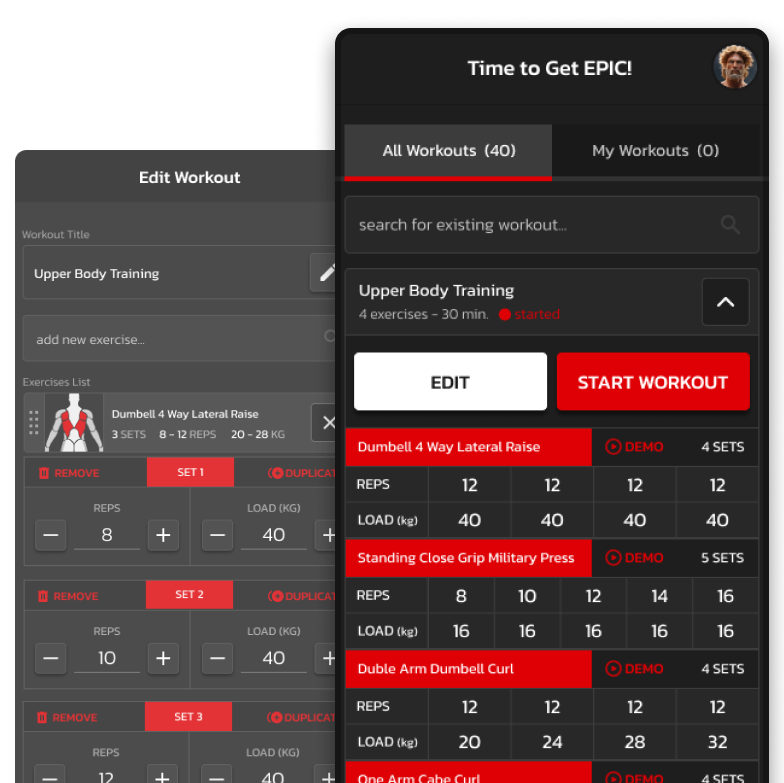
We were a small team of three with limited direction to guide us. I began by creating a set of low-fidelity elements, which allowed me to quickly build wireframes and shape a few key screens illustrating the user journey.
Primary Flow
Core Item – The Workout
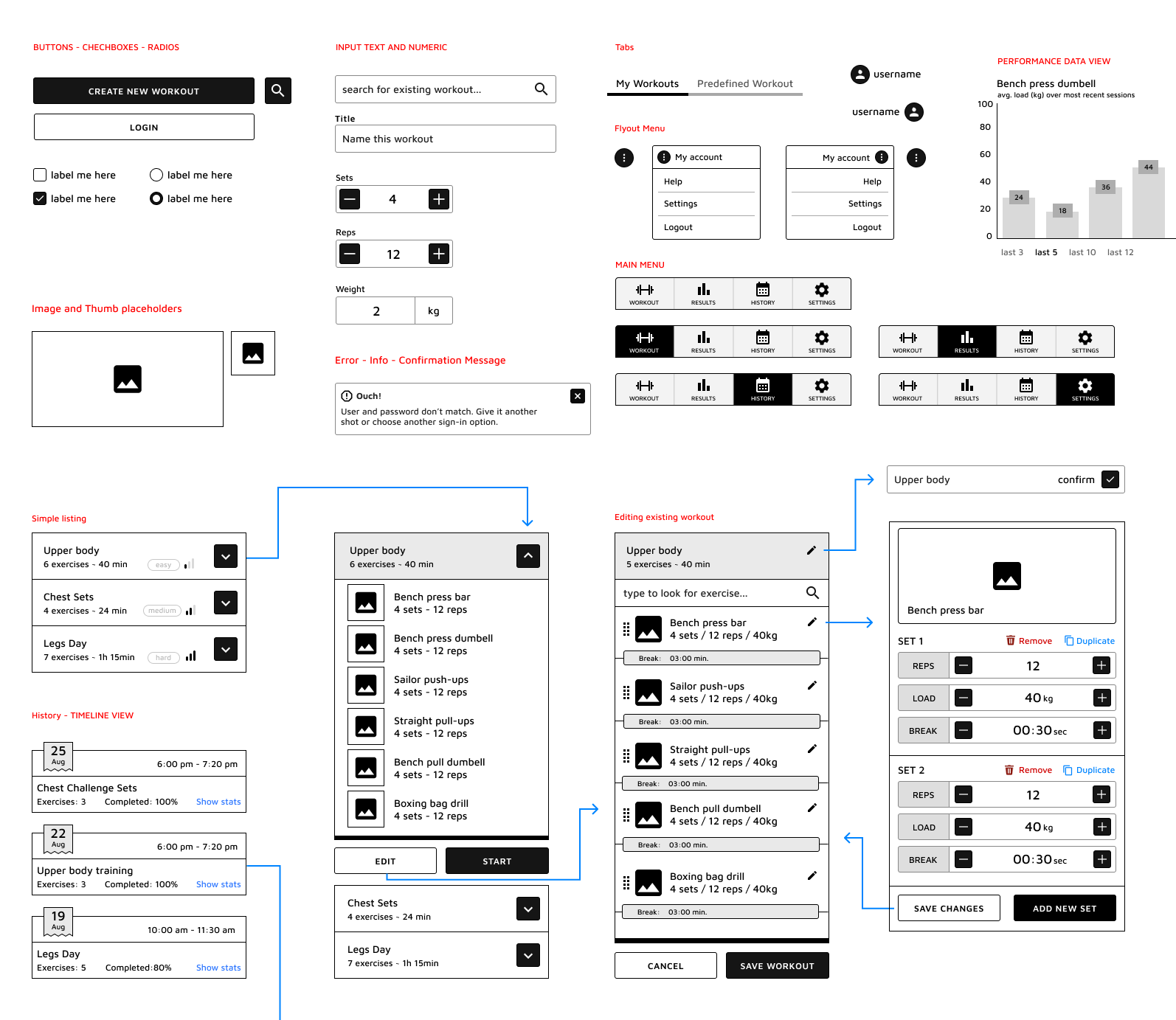
When user launches the app, they get by default a recommended list of pre-established workouts.
These satisfy most of the training sessions one would carry out, either as a full-body workout or targeting a specific muscle group.
Workouts can be expanded to view the exact number and type of exercises they contain. Each exercise has a number of sets and reps that need to be performed with a specific weight.
If the user is happy with the routine that is presented, they can hit start, if not – they do have the option to customize it and make it their own. The latter appears under “My Workouts” tab.
If the user is more advanced and they have specific requirements on their upcoming gym session, they can create an entire custom workout from scratch.
Make It Personal
Edit Existing Workouts or Create New Ones
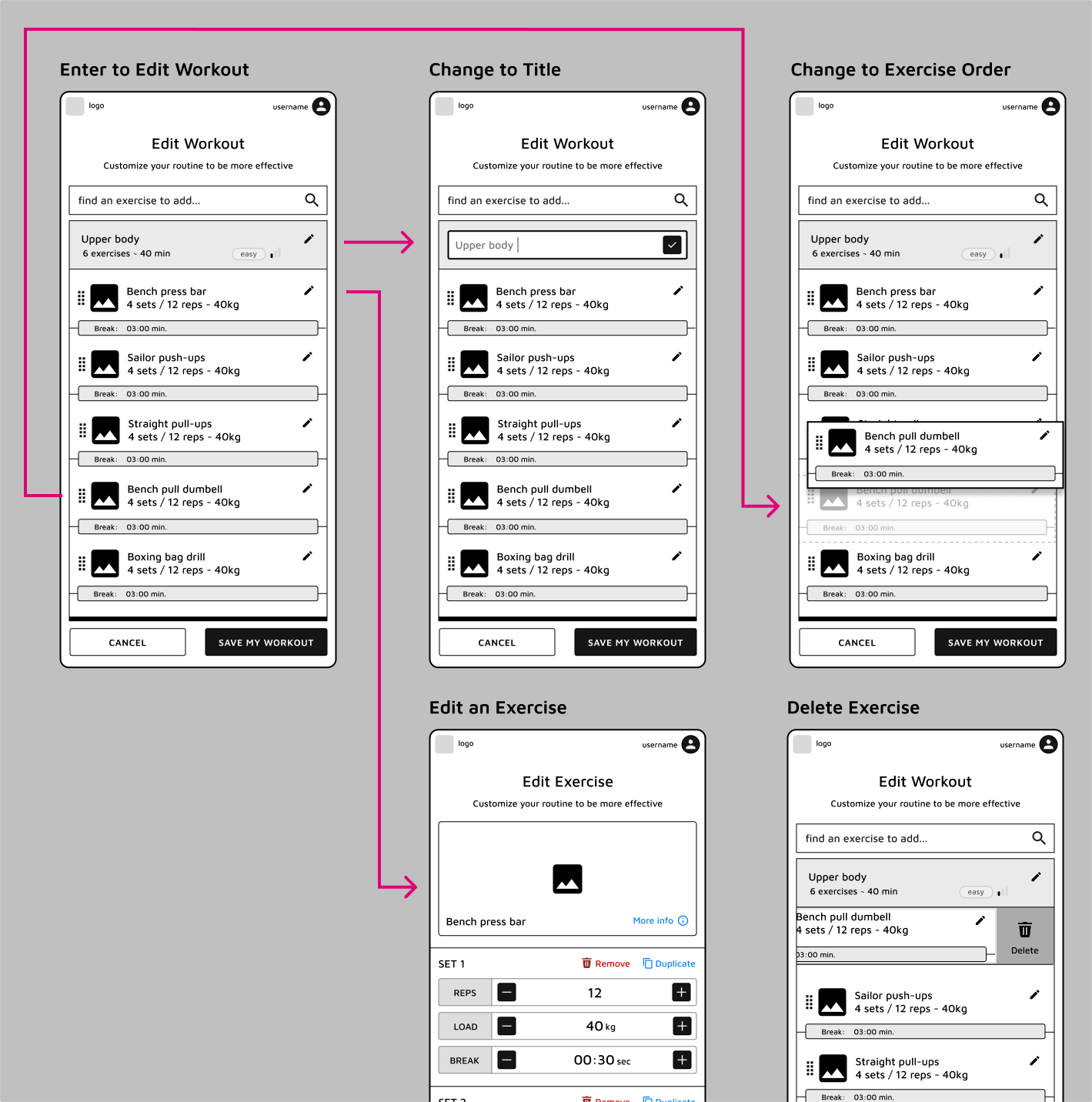
Creating or Editing a workout is pretty straight forward, following the standard CRUD operations (Create - Read - Update - Delete).
The name of the workout can be changed or a new one can be provided. Exercises can be added from an existing list or in case they are missing - the user can define new exercises. The order of the exercises, number of sets, reps and weight to use when performing are all customizable.
The ability to delete or remove an exercise from the list was considered, as well as the ability to delete an entire training.
All mentioned above are things that happen pre-workout, so in the preparation phase or before you would enter the gym.
Running the Workout
Start Strong, Update Instantly, Track Your Progress
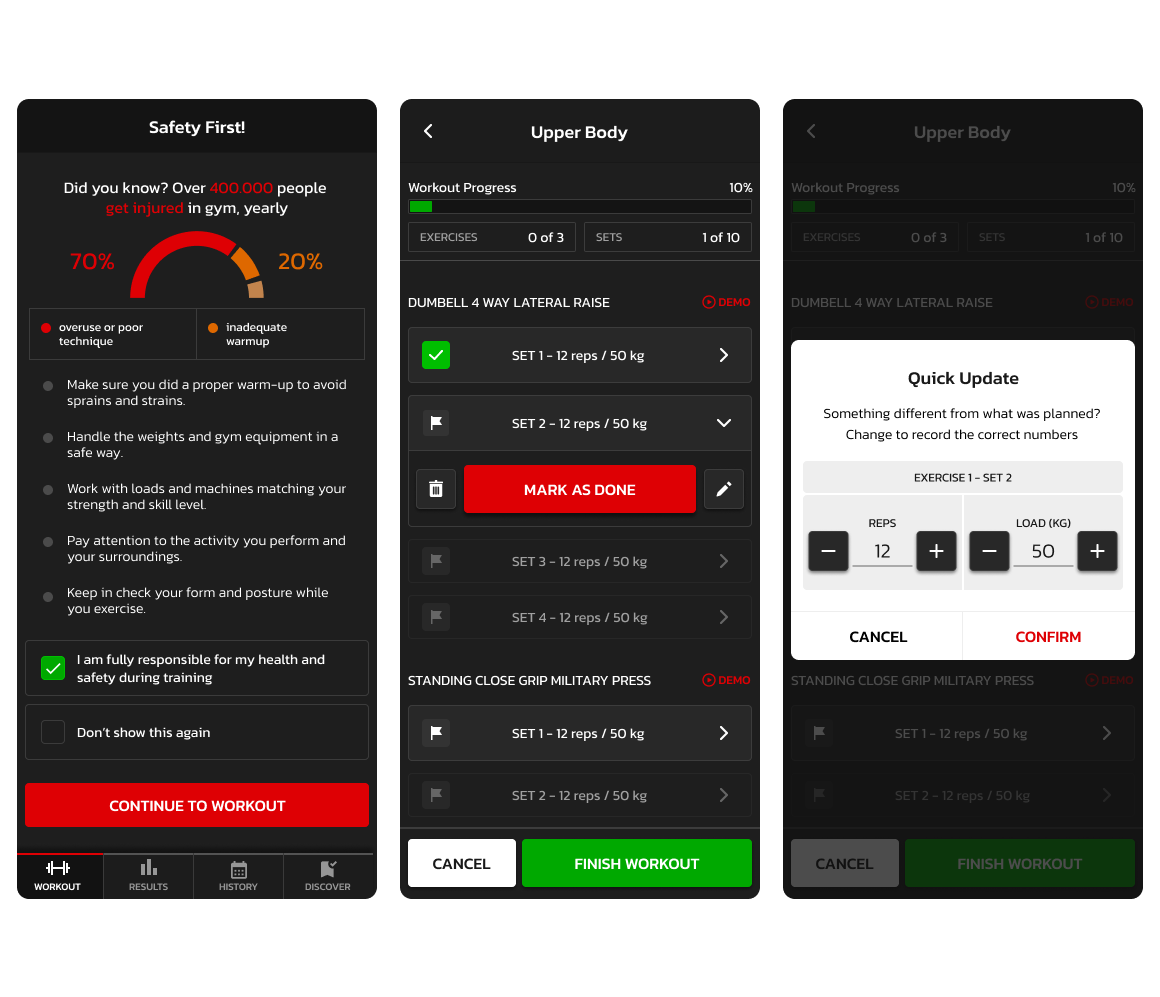
Safety comes first. Before starting any workout, users are reminded to listen to their body, choose appropriate weights, and perform movements with proper form. The system is designed to support—not push beyond—individual limits, helping reduce the risk of injury while encouraging steady progress.
Once a workout session begins, the experience is flexible and responsive. Users can follow their planned routine while updating reps, weights, or sets in real time based on how they actually perform. Whether they push harder or need to scale back, the workout adapts to reflect their true effort in the moment.
Every completed session is automatically saved as a new entry in the user’s history, creating a clear record of progress over time. From there, users can revisit and edit past workouts. This ensures each workout becomes more personalized, better aligned with their performance, and progressively tailored to their fitness level.
Users can track their progress through the Results screen, where they can view key metrics such as the number of completed workouts, weekly, monthly, or quarterly attendance, as well as total reps, training volume and muscle groups they focused on.
From Low-Fi to High-Fi Screens
Aiming for a Simple, but Powerful Look
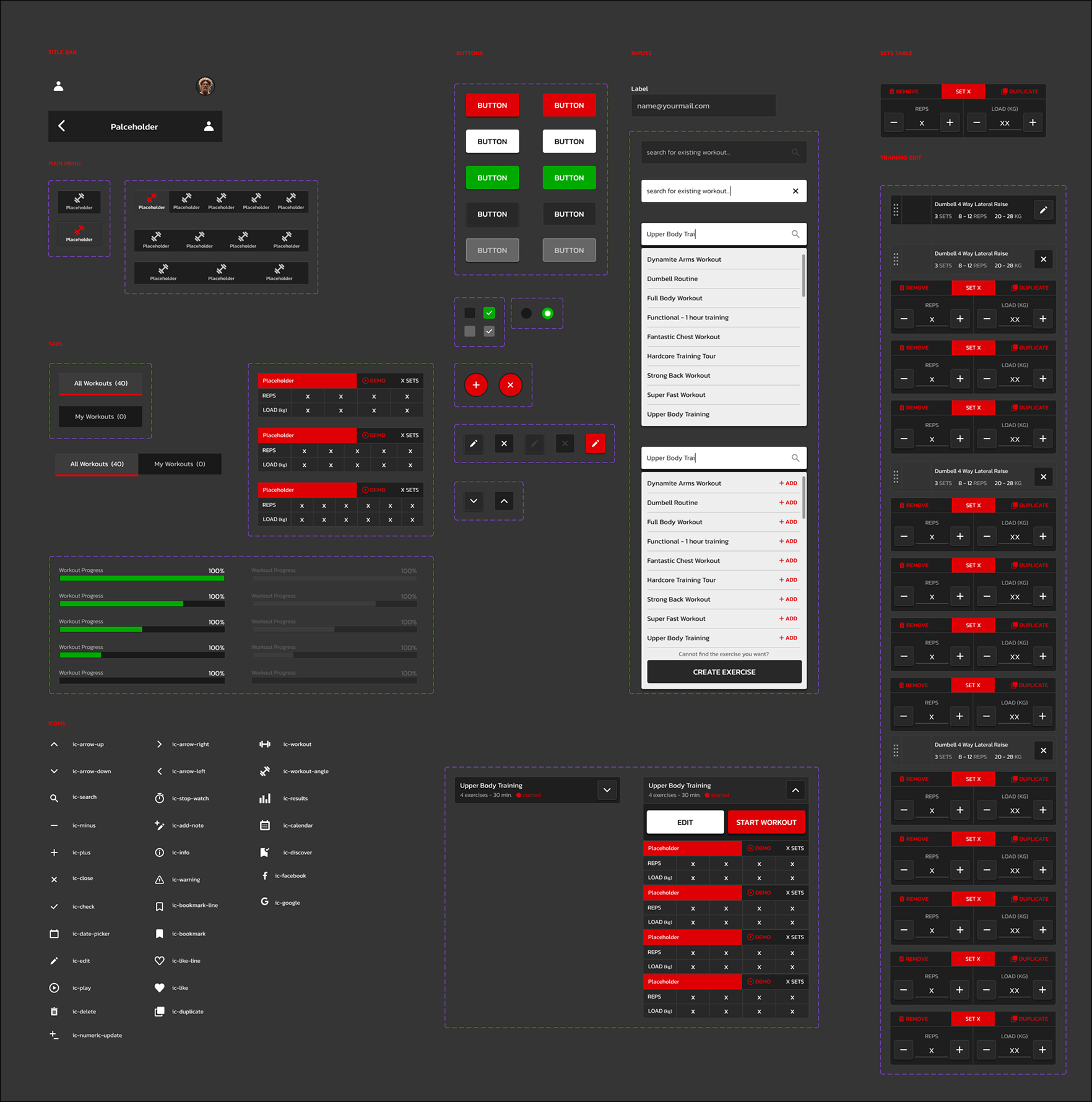
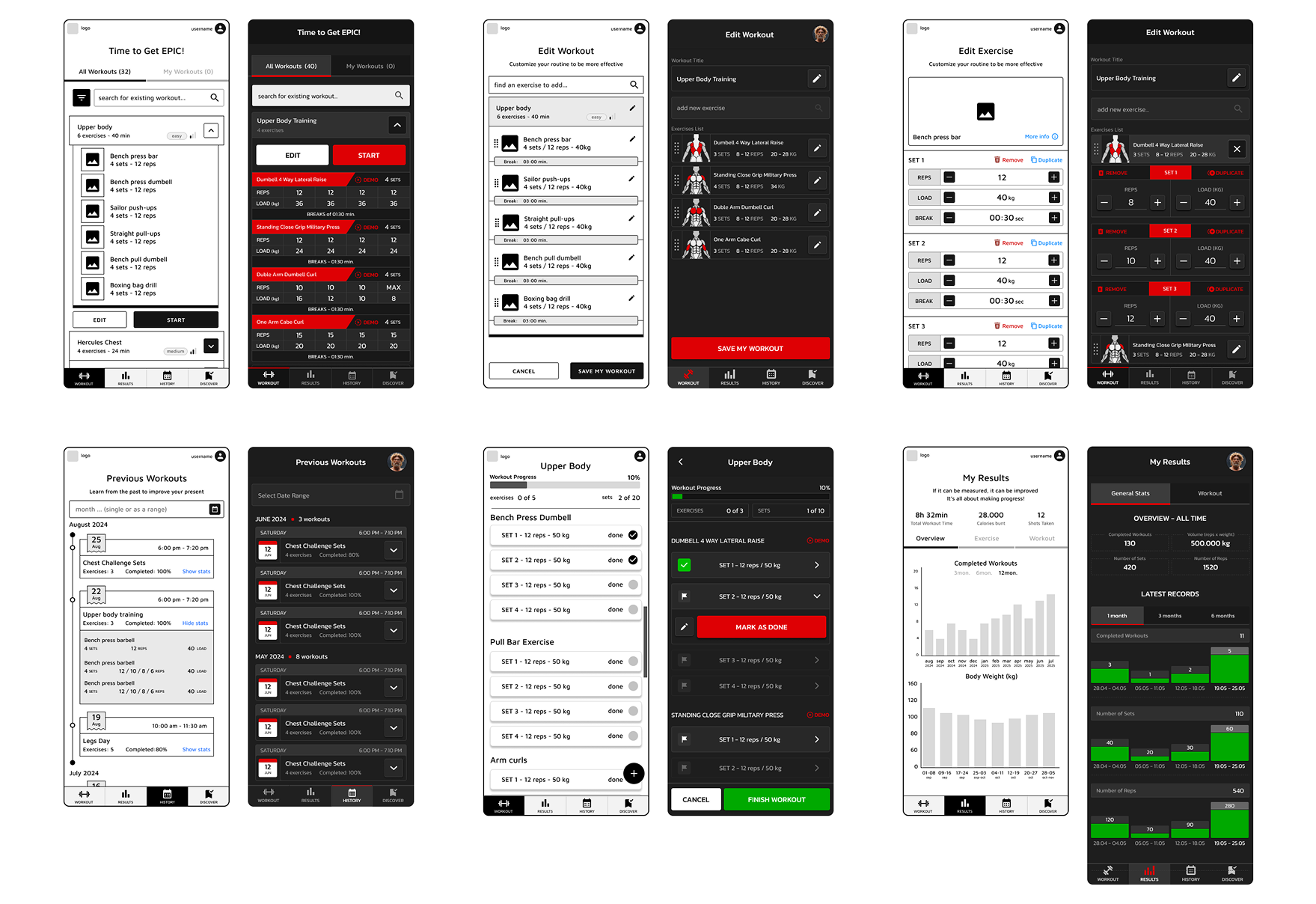
Here is a side-by-side comparison for a selection of screens. The black, white and grey tones keep it neutral, focused and simple, while the strong accent colours grab the attention and add in terms of personality to the overall look.
Components That Make the Experience
Crafting a Scalable UI System
This UI system was designed with scalability, consistency, and usability at its core. By establishing a cohesive set of components, patterns, and visual guidelines, it creates a strong foundation that supports both current product needs and future growth.